
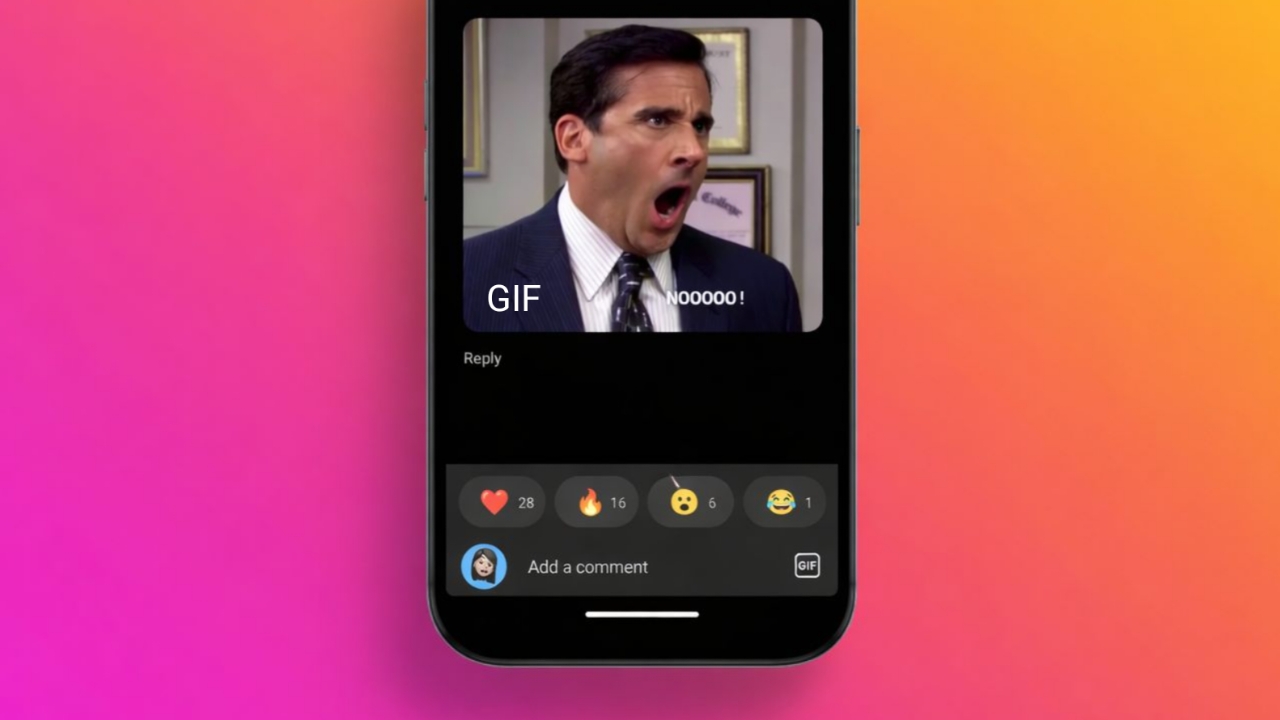

Commenting with GIFs on Instagram feels exciting for many users. People now share reactions using animated pictures instead of words.
Instagram recently added this feature for posts and reels. The feature currently works through Android and iPhone applications. Desktop users still cannot publish GIF comments right now.
Comment With GIFs on Instagram Using Mobile Applications
Instagram users always enjoy fun and creative communication methods. GIF comments now make conversations more expressive and entertaining.
Many users prefer GIFs instead of regular text-based replies today. Animated reactions quickly explain emotions without typing long sentences.
Funny GIFs also increase engagement under Instagram posts and reels. People use GIFs for jokes, congratulations, celebrations, and excitement.
Steps To Add GIF Comments Easily
Open Instagram application using your Android or iPhone device. Now select any post requiring your animated GIF reaction.
Tap the comment bubble below photos or video posts. The comment section immediately opens on your mobile screen. Look beside the typing field inside comment sections carefully.
You will notice a GIF button beside the comment space. Tap the GIF button for opening animated GIF collections.
Some users first noticed a sticker button instead today. Tap the Sticker button before choosing available GIF options. The GIF icon normally appears near bottom screen areas.
Instagram shows many suggested GIFs after opening the gallery. Users can also search GIFs using keywords or phrases.
Type words matching your feelings, reactions, or current emotions. Popular search terms include happy, wow, funny, and congratulations.
Instagram uses GIPHY libraries for displaying animated GIF collections. Choose the GIF matching your reaction or personal mood. Tap your chosen GIF once for instant comment publishing.
Instagram immediately posts selected GIF comments below the content. The system currently skips confirmation messages before final publishing.
Many users accidentally post wrong GIFs because of this. Thankfully, Instagram also offers quick GIF deletion methods later.
Why GIF Comments Feel More Interesting
Animated GIFs usually express emotions much better than text. Many people struggle writing perfect comments for exciting moments.
GIF comments solve this problem using funny moving animations. Users can react faster without typing detailed emotional messages.
Some GIFs feel cute, emotional, funny, or completely dramatic. This variety makes Instagram interactions more enjoyable and entertaining.
Brands also use GIF comments for audience engagement activities. Many influencers enjoy creating playful conversations using animated reactions.
Important Things Users Must Remember
Instagram currently supports GIF comments only through mobile applications. Desktop browsers still lack this animated commenting feature completely.
Users can browse comments normally from desktop computers today. However, desktop users cannot insert animated GIF replies currently.
Instagram also limits GIF replies under existing comment discussions. Users can only create fresh GIF comments under posts. The company may improve this feature through future updates.
Users cannot upload personal GIF files from mobile storage. Instagram only supports available GIPHY library animated GIF options.
You must search and choose GIFs inside Instagram galleries. Saved device animations still remain unsupported for comment posting.
Private Instagram accounts can still use GIF comments normally.
Account privacy settings never affect GIF feature availability currently. Feature access mainly depends on Instagram global rollout schedules.
Using Desktop Browsers
Many users enjoy browsing Instagram through laptops or desktops. Unfortunately, desktop Instagram still lacks GIF commenting support today.
Users can write comments and insert emojis from browsers. However, animated GIF buttons never appear inside desktop comments.
Desktop users must continue using regular written comments temporarily. Emoji reactions still work perfectly across desktop Instagram platforms.
Many users hope Instagram adds desktop GIF support very soon. Instagram usually launches mobile features before desktop availability happens.
Why Desktop Support Still Remains Missing
Instagram mainly focuses on mobile experiences for everyday users. Most Instagram users access posts through smartphones and tablets.
Because of this, mobile updates usually arrive much earlier. Desktop support normally appears after mobile feature testing finishes.
Instagram may eventually add desktop GIF commenting options globally. Many users continue requesting this missing feature from Instagram.
The company regularly updates applications with fresh social features. Desktop GIF comments could arrive through upcoming platform updates.
What To Do Without GIF Comment Options
Some users still cannot access GIF comment features currently. This situation feels frustrating for many Instagram users worldwide.
Instagram often releases updates gradually across different user accounts. Many accounts receive features earlier than others around globally.
Some users already enjoyed GIF comments during previous months. Others still never noticed GIF buttons within comment sections.
This difference normally depends on Instagram internal rollout strategies. Privacy settings never block GIF comment feature availability today.
Update Instagram Applications Immediately
Open your device application store before checking Instagram features. Search for Instagram updates available for your current version.
Install the newest update for better feature compatibility immediately. Many users receive GIF comments after updating applications successfully.
Updated applications usually include fresh Instagram tools and improvements. Old application versions sometimes miss newly released platform features.
Therefore, regular updates remain very important for Instagram users. Updated applications also improve overall security and performance stability.
Wait Patiently For Global Feature Rollouts
Sometimes updating applications still fails solving missing GIF problems. Instagram probably has not enabled your account feature yet.
The company gradually activates features across worldwide user accounts. This rollout process helps prevent major technical platform problems.
Continue checking comment sections regularly during upcoming application sessions. The GIF button may suddenly appear without additional notifications.
Many Instagram features appear automatically after global rollout completions. Patience remains the only solution during delayed feature releases.
How To Delete GIF Comments On Instagram
Instagram understands accidental GIF posting happens very frequently today. Therefore, deleting GIF comments remains simple across supported platforms.
Users can remove unwanted GIF comments within several seconds easily. Instagram also provides quick undo options after deleting comments.
Delete GIF Comments Using Mobile Applications
Open Instagram application and locate your previous GIF comment first. Tap the comment bubble below that specific Instagram post again. Search carefully for the unwanted GIF comment inside discussions.
Users currently receive two methods for deleting GIF comments. First, tap and hold the GIF comment briefly there.
Second, swipe comments toward left screen areas carefully instead. The delete trash icon appears above mobile screen sections. Tap the delete icon for removing unwanted GIF comments instantly.
Instagram then shows small red undo notifications temporarily afterward. Tap undo quickly if your deletion decision changes suddenly again.
Otherwise, Instagram permanently removes GIF comments from that post. The deleted GIF comment disappears immediately after successful removal.
Delete GIF Comments Through Desktop Browsers
Desktop Instagram users still cannot create GIF comments currently. However, browsers still support deleting previously posted GIF comments.
Open Instagram website and sign into your account normally. Now locate the post containing your unwanted GIF comment online. Move your cursor directly above the GIF comment carefully there.
Three small dots appear beneath comments during hovering actions automatically. Click those dots for opening additional comment management options.
Select Delete from available popup menu choices immediately afterward. Instagram removes your GIF comment from that specific post successfully.
Extra Benefits For Business And Social Media Managers
Many businesses manage several Instagram accounts every single day. Handling comments manually sometimes becomes difficult and very time-consuming.
GIF comments also increase customer engagement under business posts today. Brands often receive many comments from customers across social platforms.
Some companies use special management tools for easier moderation tasks. These tools help businesses organize comments from different accounts together.
Many tools support Instagram, Facebook, TikTok, and other platforms. Users can reply faster using centralized social media inboxes.
Features Helpful For Managing Instagram Comments
Some management tools automate comment replies for business accounts. Businesses can also automatically remove spam or harmful comments.
Teams may convert comments into customer support tickets easily. Shared workflows improve collaboration between social media team members.
Many tools also support scheduling Instagram posts automatically online. Businesses can plan Stories, Reels, and Carousel content together.
Analytics features help track audience engagement and content performance. Some platforms also generate scheduled reports for company managers.
As We Conclude
Commenting With GIFs on Instagram creates fun online conversations as it works smoothly through Android and iPhone applications currently.
Users can search, post, and remove GIF comments quickly. Desktop support still remains unavailable for publishing GIF comments. Future Instagram updates may improve these animated comment features.